Does It Connect?

You want Claude to help with your business. You can't even tell if your app connects.

One of the most asked questions in AI groups: "Does my app connect to Claude?" Find out for YOUR app in about 10 minutes.

Get the Does It Connect? guide

$7 · instant access · about 10 minutes

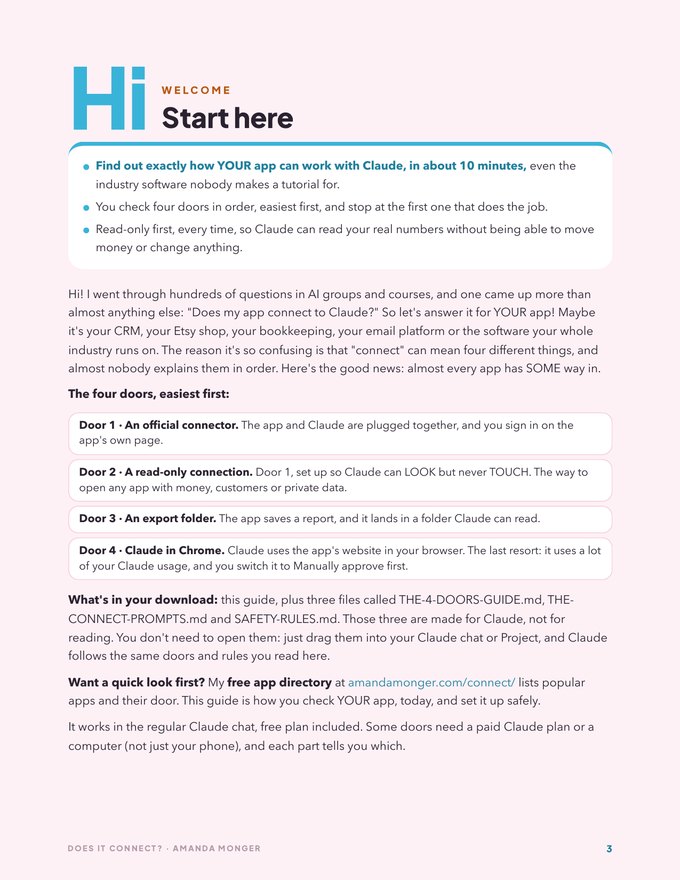
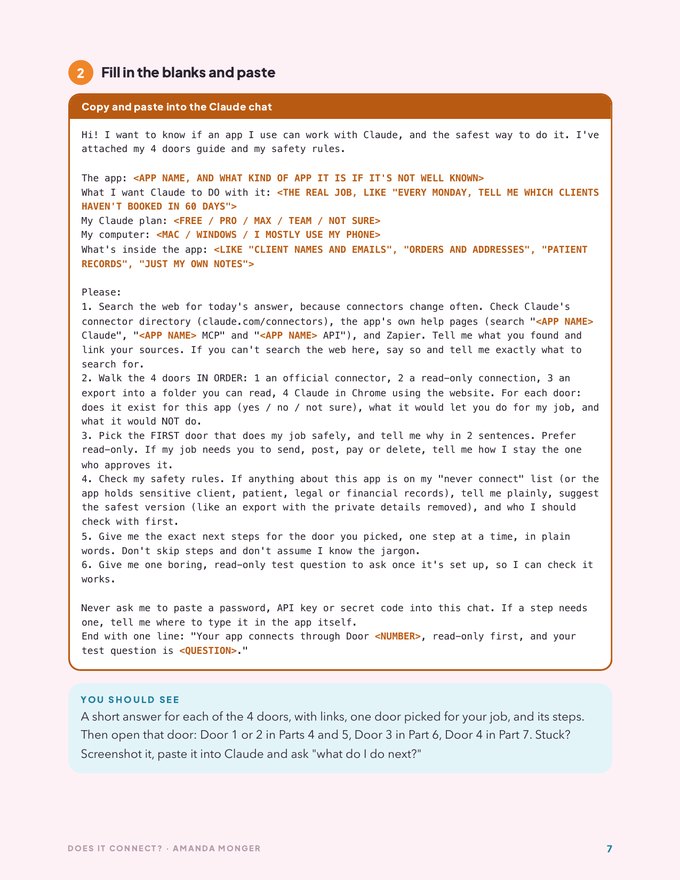
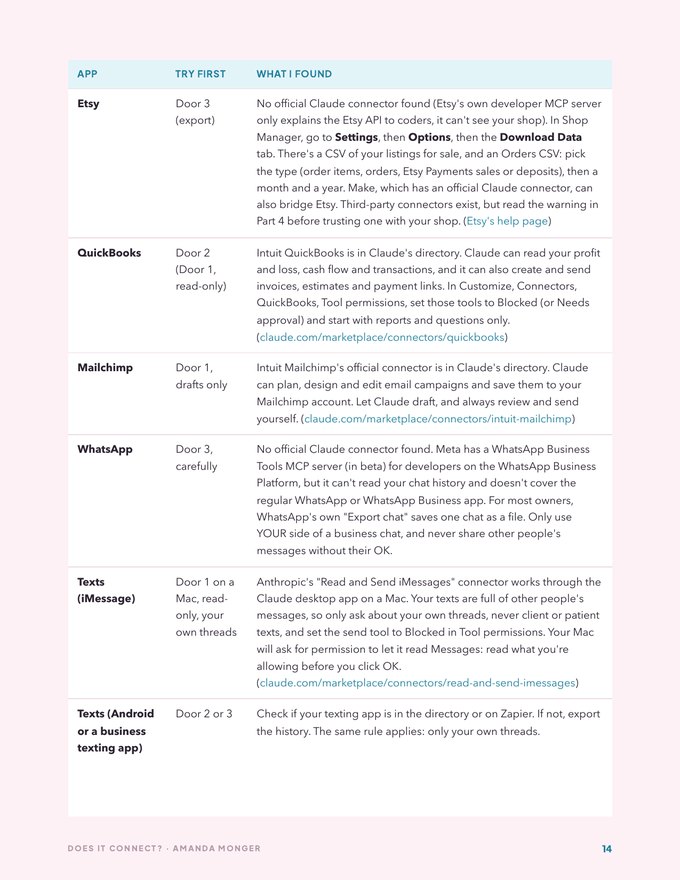
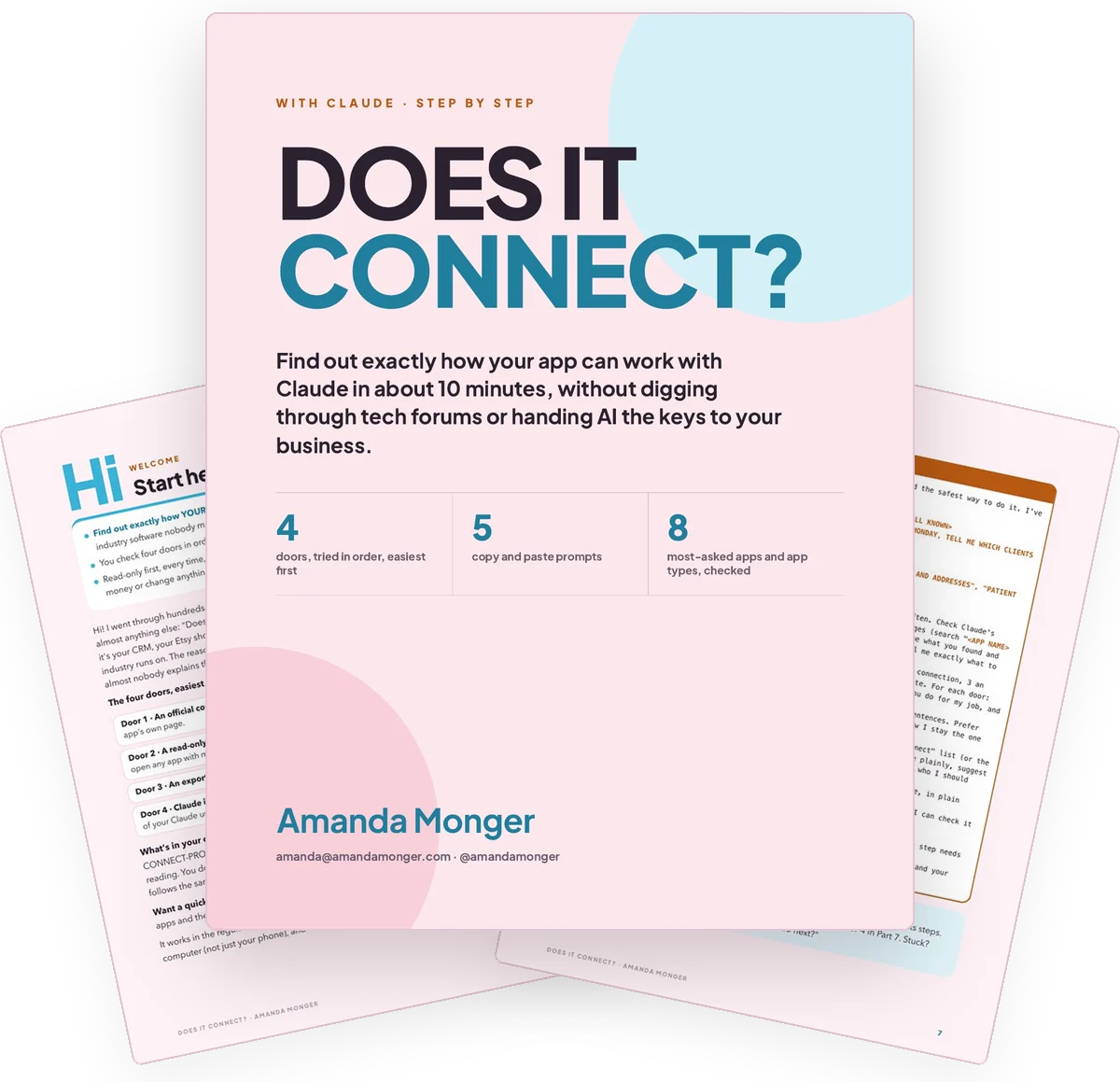
Does It Connect? by Amanda Monger, the cover and two real pages from inside
Sound familiar?

Do any of these sound like you?

If you said yes to even one, keep reading!

Here's the hard part

Every week you can't connect it, you're still doing it all by hand.

You copy numbers out of your app and paste them into a chat, one screenshot at a time. Or you give up and do the report yourself, again, on a Sunday night.

And the scary part: the only "answers" you find tell you to paste a secret key somewhere or install something a stranger made, with no idea what it can touch.

It's not that your app can't connect. Nobody explained the four ways in, in order.
The good news

You don't need to be techy. You need the right door for your app.

Does It Connect? gives you the four ways an app can work with Claude, tried in order from the easiest to the last resort, read-only first, and one prompt that checks YOUR app today.

Know the answer for your app in 10 minutes

One prompt checks today's answer for your app and walks the four doors in order, so you stop guessing.

The safest way in first

Read-only first, every time, so Claude can read your real numbers without being able to move money.

Your rules, written down

The never-connect list and a rules block you paste into Claude, so it asks before it changes anything.

Works for every app you'll ever ask about

The next "can Claude do this?" takes one prompt instead of a weekend of googling.

Take a look

A peek inside

A page from inside Does It Connect?A page from inside Does It Connect?A page from inside Does It Connect?

Get the Does It Connect? guide

What's inside

Short, simple and ready to go

Does It Connect?
01

The step-by-step guide

A start here page and 9 short parts, every prompt in a copy box. About 10 minutes to your answer.

02

The 4 doors, in order

Official connector, read-only, an export folder and Claude in Chrome, with every Claude fact dated and sourced.

03

5 copy and paste prompts

Does it connect?, set it up safely, build my export folder, give Claude a browser job, and the monthly safety check.

04

The never-connect list + your rules block

What never to hand to AI, and the rules you paste into Claude so it asks before it changes anything.

05

The apps people ask about most

GoHighLevel, Etsy, QuickBooks, Mailchimp, WhatsApp, texts and industry software, checked on Thursday, October 29, 2026.

Have you ever lost a whole weekend googling whether two apps talk to each other? I have! This answers it for $7.

All of it, instant access: $7Get the Does It Connect? guide
Is this for you?

Made for people who want Claude working with their real business

You'll love it if

  • You run your business on one or more apps and want Claude to help with them
  • You'd rather check your app yourself than wait for a tutorial
  • You want the safe way in, not the fastest way in
  • You're new to this, or you've tried and gotten stuck

It's not for you if

  • You want someone to connect everything for you
  • You want to hand AI your bank login or passwords (please don't!)
  • You don't use any apps for your business yet
Amanda Monger smiling on a garden bench in a rainbow skirt

I'm Amanda Monger. Claude runs a big part of my business with me every day. I went through hundreds of questions in AI groups and courses, and this one came up more than almost anything else, so I wrote down the safe way to answer it for any app.

@amandamonger

Questions

Good to know

Do I need a paid Claude plan?

Not to start. The main prompt works in the regular Claude chat, free plan included. Some doors need a paid Claude plan, like Claude in Chrome, and the guide tells you which.

Is Claude in Chrome a good everyday option?

It's the last resort. It uses a LOT of your Claude usage, because Claude works step by step on screen, so it's slower too. It's for paid plans only and best for occasional jobs, not everyday syncing. Try the other three doors first.

What if my app isn't on any list?

That's exactly what the main prompt is for. Claude searches for today's answer for YOUR app and walks the four doors in order. Want a quick look first? My free app directory at amandamonger.com/connect/ lists 196 popular apps.

Do I need to know how to code?

Nope! Every step is in plain words, and every prompt is copy and paste.

Will you connect my apps for me?

No. This guide teaches you to check and set up your own connections, in your own accounts. Nothing gets connected for you.

Is it okay for client or patient records?

The guide has a never-connect list and tells you to check with your advisor and your software vendor first. It isn't legal or compliance advice.

Is this made by Anthropic?

No. This is my own guide. I'm not affiliated with Anthropic or with any app in the guide.

What happens after I buy?

You get instant access on Whop to the PDF guide, plus the 4 doors guide, the connect prompts and the safety rules as files you can attach to a Claude chat.

Questions?

Email me at amanda@amandamonger.com or DM me on Instagram @amandamonger.
Your turn

Find out how your app works with Claude tonight.

Ten minutes, one prompt, and you'll know your door, the safe way in and the first question to test it with.

Does It Connect?

$7
  • The step-by-step guide (PDF)
  • The 4 doors, easiest first
  • 5 copy and paste prompts
  • The never-connect list + your rules block
Get the Does It Connect? guide

Instant access · works in the regular Claude chat

Get the Does It Connect? guide · $7